How to track Gemini traffic and sales on Shopify
Short answer: in Shopify admin go to Analytics → Reports → Sessions by referrer and search for gemini. That catches gemini.google.com visits, and in the UTM source column it also catches links tagged utm_source=gemini. If your store sells through Shopify's Agentic storefronts, a Gemini purchase can happen without a storefront visit, so also check the order's channel and its Conversion summary. Clicks from Google's AI Overviews and AI Mode links still look like ordinary Google search.
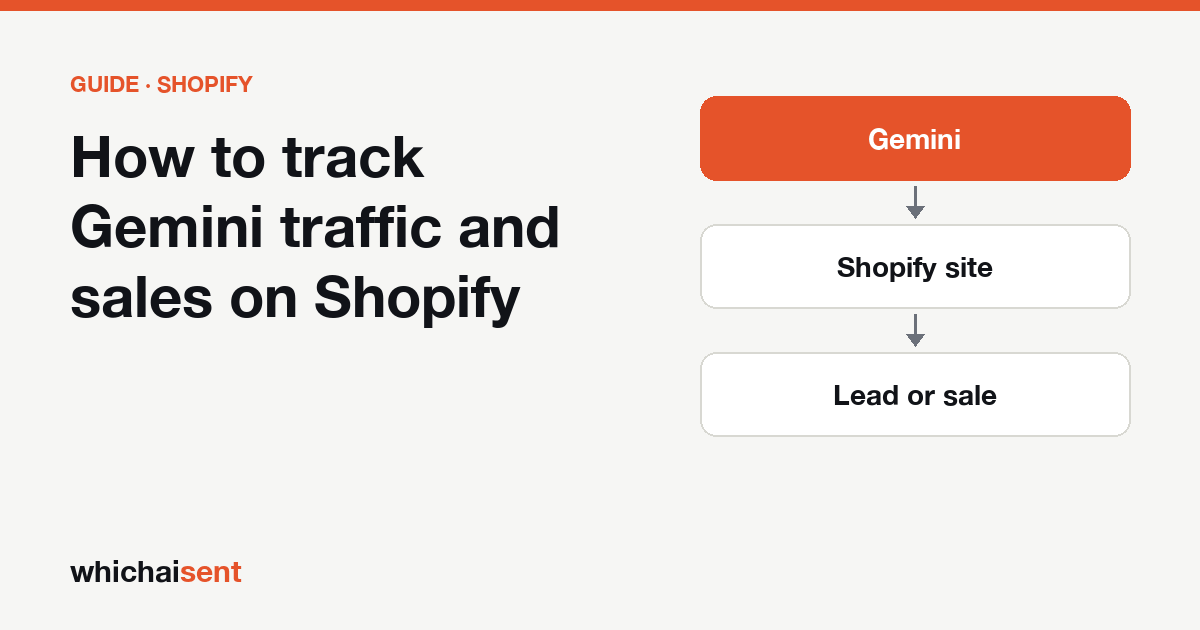
Gemini reaches a Shopify store in three different ways, and Shopify reports each one differently. A shopper can click a product link in a Gemini answer and land on your storefront. A shopper on an Android phone can do the same from the Gemini app, where the referrer is often lost. And, for stores that sell through Shopify's Agentic storefronts, a shopper can buy inside Gemini itself without ever loading your theme. This guide covers where each of those shows up, and how to keep Google's other AI products from being counted as Gemini.
Step 1: Search Sessions by referrer for "gemini"
- In Shopify admin, go to Analytics → Reports.
- Under Acquisition, open Sessions by referrer.
- Search the referrer list for
gemini. The host to look for isgemini.google.com. Older saved conversations can still send visits frombard.google.com, Gemini's name until early 2024. - Set the date range to at least 90 days so a small store has enough sessions to read.
Don't read the grouped Search rows or anything labelled Google as Gemini. Shopify's referring channels were built around search engines and social networks, and a google.com referrer covers normal results, AI Overviews and AI Mode alike.
Step 2: Add the UTM source column
Since around 30 September 2026, some links in Gemini answers have arrived with utm_source=gemini on the end. Search Engine Journal reported it and Google's John Mueller said he sees it too, but Google hasn't documented which links get the tag. On Shopify this matters because the tag survives when the referrer doesn't. In the report editor, add the UTM source dimension next to the referrer and filter for gemini. A session with gemini as its UTM source and an empty referrer is almost certainly a Gemini app click that would otherwise have been counted as direct. Don't add the tag to your own links or ads: it would mix your campaigns into the Gemini number.
Step 3: Check Agentic storefronts for orders placed inside Gemini
Shopify's Agentic storefronts sales channel puts your catalog in front of AI shoppers, and Google AI Mode and the Gemini app are among the channels it lists. Shopify's help page says it is active by default for eligible stores, and that products reach Google's AI surfaces through the Google & YouTube sales channel or Google Merchant Center. To see where you stand:
- In Shopify admin, go to Sales channels → Agentic.
- Check whether Google AI Mode and Gemini are listed and switched on for your store. Availability is still rolling out, so it may not appear for every store or country yet.
- Look at the direct checkout setting. With direct checkout on, a Gemini shopper can pay through Shopify-powered checkout without leaving Gemini. With it off, they are sent to your store to buy.
That one switch decides how Gemini orders look in your reports. A direct-checkout order has no storefront session behind it, so it never appears in Sessions by referrer and your theme's tracking pixels don't see it. Shopify says these orders show in the admin with channel or referrer attribution, so filter your orders or sales reports by sales channel to find them. A handed-off order behaves like any other click and is credited to the referrer in the next step.
Step 4: Confirm sales with Total sales by referrer and the order page
- Total sales by referrer. Search it for
geminito see orders credited to a Gemini visit. - The order itself. Open an order, find Conversion summary and click View conversion details to see the first visit's source and the visits before purchase. Shopify notes this can take up to 48 hours to fill in, and is empty when cookies were blocked or the order didn't come through the Online Store.
Step 5: Make sure Google can use your products for Gemini
Gemini draws on Google's index and Google's product data, so two settings matter more here than for other assistants. First, open yourstore.com/robots.txt and look for a Disallow rule under Google-Extended. That rule tells Google not to use your content for Gemini; it doesn't affect normal Google rankings. Shopify's default file doesn't add it, so if you find one it was added in the theme's robots.txt.liquid template or by an app. Second, if you use the Google & YouTube channel, check its product status page for disapproved products, since those are the products Google can't show in its shopping surfaces.
What Shopify shows for Gemini, and what it misses
| What the shopper did | What Shopify records |
|---|---|
| Clicked a product link in gemini.google.com | A session from gemini.google.com |
| Clicked a tagged link in the Gemini app | A session with UTM source gemini, often no referrer |
| Clicked an untagged link in the Gemini app | Direct |
| Bought inside Gemini with direct checkout on | An order on the agentic channel, no storefront session |
| Clicked a source in an AI Overview or AI Mode | Google search |
| Saw your store in Gemini, then typed your name into Google | Google search or Direct |
So the Gemini number in Shopify is a minimum. Our post on why AI attribution undercounts explains why every assistant works this way.
Other assistants to check
Run the same search for chatgpt.com, perplexity.ai, copilot.microsoft.com and claude.ai. ChatGPT tags its links with utm_source=chatgpt.com and always hands checkout back to your store; see ChatGPT traffic on Shopify. Perplexity rarely tags links; see Perplexity traffic on Shopify. The general Gemini tracking guide explains the difference between Gemini, AI Overviews and AI Mode.
Seeing Gemini sales in one place on Shopify
Which AI Sent gives Gemini its own row, separate from Google search and the other assistants. It reads both the gemini.google.com referrer and the gemini UTM tag, follows each visit to the order, and asks buyers "How did you first hear about us?" so customers who saw you in Gemini and came back later are counted too, labelled separately from tracked visits. Our one-click Shopify app is still in Shopify's app review; until it's approved, Shopify stores connect by adding one line of code, and the setup page shows where to paste it. See all integrations.
Gemini traffic on Shopify: common questions
Where do I see Gemini traffic in Shopify?
Go to Analytics, then Reports, and open Sessions by referrer under Acquisition. Search for gemini to find gemini.google.com visits, and add the UTM source column to catch links tagged utm_source=gemini.
Are Google AI Overviews clicks counted as Gemini in Shopify?
No. Clicks from AI Overviews and links in AI Mode arrive with a google.com referrer, so Shopify counts them as Google search. There is no way to split them out in Shopify's reports.
Can customers buy from my Shopify store inside Gemini?
Shopify's Agentic storefronts channel lists Google AI Mode and the Gemini app, and with direct checkout on a shopper can pay without leaving Gemini. Check Sales channels, then Agentic, in your admin. Availability is still rolling out, so it may not be offered to every store yet.
Why don't Gemini orders show in Sessions by referrer?
An order placed inside Gemini with direct checkout has no storefront visit behind it, so there is no session to credit. Filter your orders or sales reports by sales channel instead. Untagged clicks from the Gemini app also show as direct.
See the leads and sales AI sends you
Track AI visits all the way to the lead or sale, and catch the customers who never click. Launch offer: every Pro feature is free until October 31. No card needed.