Can you track Google AI Mode and AI Overviews traffic? What GA4 and Search Console really show
Short answer: only partly. A click from Google AI Mode or an AI Overview arrives as ordinary Google organic search, so GA4 can’t pick it out. Search Console now shows how often your pages appear in those AI answers, but as impressions only, with no clicks. You can still build a fair picture from three sources: Search Console’s AI report, your organic landing pages, and what customers tell you.
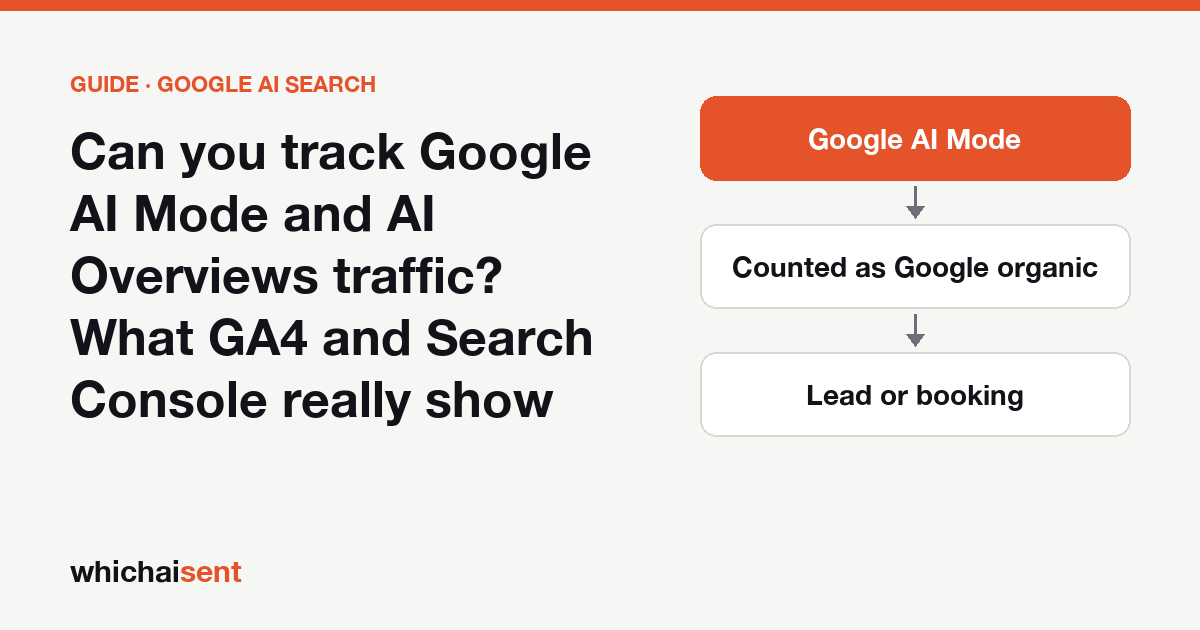
Most AI traffic is easy to spot once you know where to look. ChatGPT, Perplexity and the Gemini app each leave a referrer or a tag, and GA4 now sorts many of them into an “AI Assistant” channel. Google’s own AI answers are the exception. AI Overviews sit on top of a normal results page and AI Mode is a tab inside Google Search, so a click from either one leaves your visitor looking like any other Google searcher.
This guide covers what each Google tool can and can’t tell you, using Google’s own help pages, and a simple routine for estimating what these answers are worth to your business.
Why AI Mode clicks look like normal Google search
When someone clicks a link inside AI Mode or an AI Overview, their browser arrives from a Google Search page, the same as a click on a blue link. Google is explicit about how GA4 handles that. Its default channel group help page describes the AI Assistant channel as covering sources like ChatGPT, Gemini, DeepSeek, Copilot and Grok, and says it “excludes Google’s AI Overviews and AI Mode”.
So in GA4 these visits show as google / organic in the Organic Search channel. No filter, regex or custom channel can split them out, because nothing in the visit itself is different. If someone tells you their tool “tracks AI Mode clicks” from analytics data alone, ask what signal it reads.
Don’t mix this up with Gemini. The Gemini app at gemini.google.com is a separate product with its own referrer, and GA4 puts it in the AI Assistant channel. Our Gemini traffic guide covers that one.
What Search Console shows
The main Performance report: clicks, blended
Google’s page on AI features and your website says AI features are reported in the Performance report “within the Web search type”. That means AI Mode and AI Overview clicks and impressions are already in your Search results totals. They are just mixed in with classic results, with no filter to separate them.
The Generative AI performance report: impressions, separated
In June 2026 Google added a dedicated report, and its help page says it reached all websites on August 31, 2026. It covers AI Overviews and AI Mode together. Here is what it gives you:
| In the report | Not in the report |
|---|---|
| Impressions: how often links to your site were shown in an AI Overview or AI Mode answer | Clicks or click-through rate |
| Pages: which of your URLs appeared | The queries people asked |
| Countries, devices and dates (down to the hour) | A split between AI Overviews and AI Mode |
| A filter for text searches vs image searches such as Google Lens | Whether anyone called, booked or bought |
These impressions are a slice of the Web search totals you already see, so don’t add the two together. If the report isn’t there for your property, Google says this usually means your site hasn’t had enough impressions in AI features yet, or that the site has been excluded from them.
A five-step routine to measure it anyway
- List your AI pages. In Search Console, open the Performance section and then the Generative AI performance report. Pick the last three months, open the Pages tab and export it. These are the pages Google’s AI answers are showing.
- Check clicks on the same pages. Go back to the main Search results report, add a page filter for your top few AI pages, and compare. A page whose AI impressions climb while its clicks stay flat is being read inside the answer more than it is being visited. That isn’t automatically bad: the reader may still call you.
- Follow those pages in GA4. Open Reports, then Engagement, then Landing page. Add a filter for Session default channel group exactly matching Organic Search, and look at sessions and key events for the pages on your list. This is the ceiling for AI Mode and AI Overview visits to those pages, since classic search clicks are in there too.
- Ask the people who never click. Add “Google’s AI answer” as its own option in your “How did you first hear about us?” question, separate from “Google search” and “ChatGPT”. Customers won’t know the words AI Mode or AI Overview, so describe it plainly: “Google’s AI summary at the top of the results”. Wording that works is in the most valuable question you’re not asking.
- Write it down monthly. Keep four numbers side by side: AI impressions, organic clicks to your AI pages, organic leads from those pages, and customers who said “Google’s AI answer”. The trend across a few months tells you more than any single month.
What this routine can’t see
| Situation | Visible to you? |
|---|---|
| Someone clicks a link in AI Mode and fills in your form | Yes, but only as Google organic |
| Your page appears in an AI Overview | Yes, as an impression in the Generative AI report |
| Someone reads the AI answer, then phones you | Only if you ask them |
| Someone reads the AI answer, then searches your name later | Shows as a branded search, not as AI |
| Which question they asked | No, not in either report |
| Whether it was AI Mode or an AI Overview | No |
The phone-call row matters most for local and home-service businesses, where many customers call straight from the results page. We go through the wider set of blind spots in why every AI attribution tool undercounts.
Three mistakes to avoid
- Calling all organic growth “AI”. Organic Search still holds classic blue-link clicks. Treat the organic numbers for your AI pages as an upper bound, not as AI traffic.
- Adding AI impressions to your totals. They are already counted in the Web search type.
- Reading a single week. AI answers change often, and Google marks the newest data as preliminary. Compare months, not days.
Where Which AI Sent fits
We hold ourselves to the same rule. Which AI Sent counts a visit as AI only when there is evidence: a referrer or tag from ChatGPT, Gemini, Perplexity, Claude, Copilot and other assistants. A click from AI Mode or an AI Overview looks like Google organic, so we don’t count it as AI and we don’t estimate it. Customers who tell you they found you through an AI answer are recorded as Declared, kept separate from tracked Confirmed leads, as explained in Confirmed vs Declared. For everything the GA4 side can do, see our AI traffic in GA4 guide and the AI traffic reference.
Launch offer: every Pro feature is free until October 31. No card needed.
Google AI Mode and AI Overviews
Does GA4 show Google AI Mode traffic?
Not as its own source. Google's own help page says GA4's AI Assistant channel excludes AI Overviews and AI Mode, so those clicks arrive as google / organic and sit in the Organic Search channel next to ordinary search visits.
Does Search Console show AI Mode clicks?
AI Mode and AI Overviews clicks are counted inside the Web search type of the main Performance report, blended with classic results. The separate Generative AI performance report shows impressions only, by page, country, device and date, with no clicks or queries.
Can I separate AI Overviews from AI Mode?
Not in Google's reports today. The Generative AI performance report combines both features in one view. The only way to tell them apart is to ask customers, and most people can't tell you which of the two they used.
Is Gemini traffic the same as AI Mode traffic?
No. Clicks from the Gemini app at gemini.google.com have their own referrer and GA4 puts them in the AI Assistant channel. AI Mode lives inside Google Search, so its clicks look like Google organic search.
See the AI customers you can prove
Connect your website in one click and follow ChatGPT, Gemini and Perplexity visitors to the lead, booking or sale, with the evidence for each.