How to track Perplexity traffic with Google Tag Manager
Short answer: Tag Manager has no traffic report, so you build a label. Create a URL variable that reads the Host Name of the built-in Referrer, then a Lookup Table that outputs “Perplexity” when that host equals perplexity.ai. Perplexity normally adds no UTM tag, so the referrer is your only signal: store the label in a first-party cookie on the landing page, or it is lost before the visitor reaches your form.
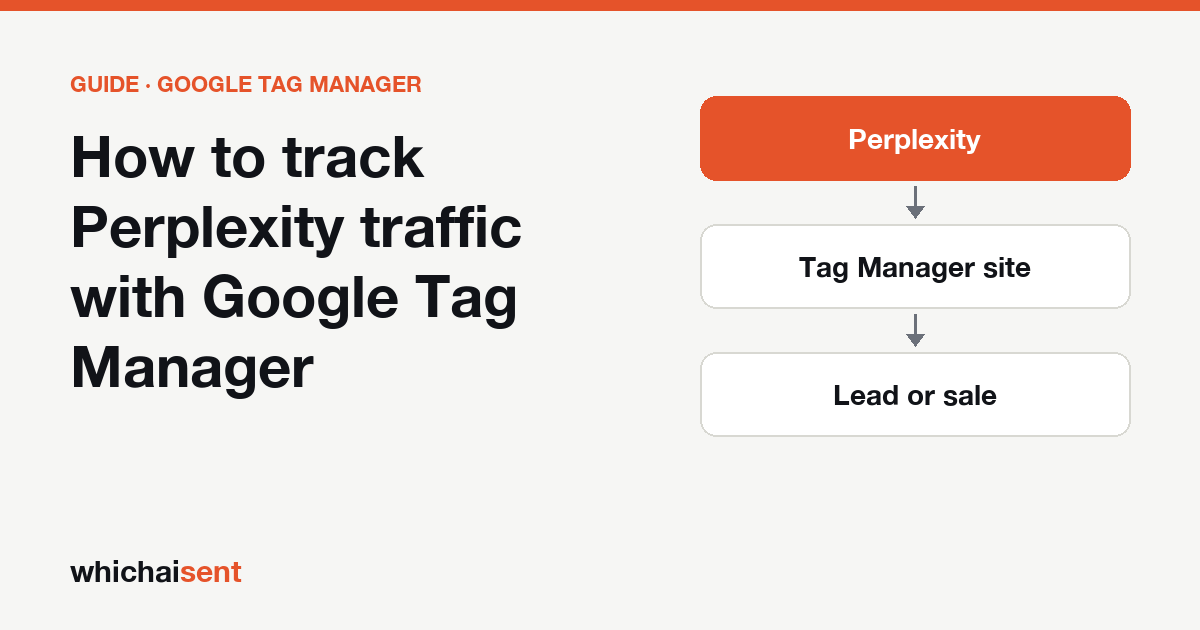
Perplexity is the easiest AI assistant to recognise in Tag Manager and one of the easiest to lose. It is easy because nearly every Perplexity answer ends in numbered sources, and a click on one arrives with perplexity.ai as the referrer. It is easy to lose because Perplexity normally adds no UTM tag, so the referrer is the only clue, and it is gone as soon as the visitor opens a second page.
Step 1: Make a variable that holds only the referrer's host
- In your web container, click Variables. Under Built-In Variables, check that Referrer and Page Path are enabled.
- Under User-Defined Variables, click New and choose the URL type.
- Set the component to Host Name and tick the option to strip
www. - Open the extra settings and change URL Source to
{{Referrer}}.
Name it Referrer host. For a visit from Perplexity it returns perplexity.ai and nothing else: no path, no question text, no www.
Step 2: Map the host to a label with a Lookup Table
- Create another user-defined variable and choose Lookup Table.
- Set the input variable to
{{Referrer host}}. - Add a row: when the input equals
perplexity.ai, set the output toPerplexity. - Tick Set Default Value and enter
none.
Name it AI source. A Lookup Table only matches the whole value exactly, which is why Step 1 reduced the referrer to a bare host first.
Step 3: Skip the UTM check, but know why
For ChatGPT you would add a second check for utm_source=chatgpt.com, because ChatGPT tags many of its links. Perplexity's source links usually carry no tag at all, so there is nothing equivalent to catch. That has one practical result: when the referrer is missing, the visit cannot be recovered. Someone who copies your address out of a Perplexity answer and pastes it into a new tab, or sends it to a colleague, arrives with an empty referrer and your label reads none.
Step 4: Store the label and the page Perplexity cited
On the second page of the visit the referrer is your own site, so AI source falls back to none. Store it while you have it. Add a Custom HTML tag that fires on page view only when AI source equals Perplexity, and have it write two first-party cookies: the label, and the value of {{Page Path}}.
The second cookie is worth the extra line for Perplexity in particular. Each numbered source points at the exact page the answer drew on, so the landing path tells you which of your pages Perplexity is quoting. Read both values back with two 1st Party Cookie variables, and use those, not the raw referrer, in any tag that fires on a form submission.
Step 5: Send it to GA4 or your form, then test with a real click
Add the two cookie variables as event parameters on your GA4 lead or form event, and register them as custom dimensions in GA4's Admin so they appear in reports. Or write them into hidden form fields so they reach your inbox or CRM with the enquiry. This also fixes a GA4 gap: Perplexity often sits under Referral there, not in the AI Assistant channel, so a label of your own is the reliable way to count it.
Testing is different from ChatGPT, because there is no UTM tag you can type into the address bar. Click Preview, then in the same browser open Perplexity, ask it a question about your business by name, and click your site in the sources. In Tag Assistant, pick the first event on that page and look at the variable values: Referrer host should read perplexity.ai and AI source should read Perplexity. Open a second page and check the cookie variables still hold both values.
What Tag Manager can't see from Perplexity
| What the person did | What your tags get |
|---|---|
| Clicked a numbered source in a Perplexity answer | Referrer host perplexity.ai and the landing page path |
| Landed from Perplexity, sent a form from another page | Nothing, unless you stored the label (Step 4) |
| Copied your link from the answer and opened it later | An empty referrer and no UTM tag, so the label is none |
| Declined your cookie banner | Whatever your consent settings allow, usually nothing |
| Read the answer, then phoned or emailed you | Nothing. No tag fires on a phone call |
The last row is the one no container can fix. Ask every new customer “How did you first hear about us?” on the form and on the phone; our guide to wording that question explains why the word “first” matters.
Other assistants to add to the same table
The Lookup Table takes one row per host: gemini.google.com, claude.ai and copilot.microsoft.com each get their own output. ChatGPT needs more than a row, because of its UTM tag and its apps, and ChatGPT traffic in Google Tag Manager covers that setup. Don't add google.com: clicks from AI Overviews and AI Mode come from Google and look the same as ordinary search. For GA4's side, see the general Perplexity tracking guide.
Perplexity leads without building any of this
Which AI Sent does Steps 1 to 5 with one tag. In your dashboard's Setup, click Connect Google Tag Manager and approve on Google's own screen. We add the tag in a new workspace and never publish, so you review it and click Submit yourself; you can also paste it by hand as a Custom HTML tag on All Pages. Perplexity then gets its own row beside ChatGPT, Gemini, Claude and Copilot. The source stays with the visitor for 90 days, is attached to the form they send, and the answer to “How did you first hear about us?” is recorded too, so each AI lead is marked Confirmed, Declared or Assisted by the evidence behind it. Details are on the Tag Manager integration page.
Perplexity traffic in Google Tag Manager: common questions
Can Google Tag Manager detect Perplexity visits?
Yes, on the landing page. A click from a Perplexity answer arrives with perplexity.ai as the referrer. Read the referrer's host with a URL variable, map it to a label with a Lookup Table, and send that label to GA4 or a form field. Tag Manager itself has no report to show it in.
Does Perplexity add a UTM tag I can use in Tag Manager?
Usually not. Unlike ChatGPT, Perplexity's source links normally carry no utm_source, so the referrer is the only signal. If the referrer is missing, for example when someone copies the link and opens it later, the visit cannot be labelled.
Why use a Lookup Table and not a RegEx Table for Perplexity?
A Lookup Table matches the whole value exactly. If you first reduce the referrer to its host name with www removed, one row for perplexity.ai is enough and it cannot match by accident. A RegEx Table works too, but you must untick Full Matches Only when testing a full referrer URL.
How do I test a Perplexity label when there is no UTM to type in?
Start Preview, then in the same browser ask Perplexity about your business and click your site in the sources. In Tag Assistant, check that the referrer host reads perplexity.ai and the label reads Perplexity, then open a second page and confirm the stored cookie value is still there.
See the leads and sales AI sends you
Track AI visits all the way to the lead or sale, and catch the customers who never click. Launch offer: every Pro feature is free until October 31. No card needed.